









































If you work or game on a laptop, you’ve probably noticed the odd, chunky cylinder on your charging cable. It’s called a ferrite core, and it’s there for a practical reason most people never hear about. Here’s what it does.
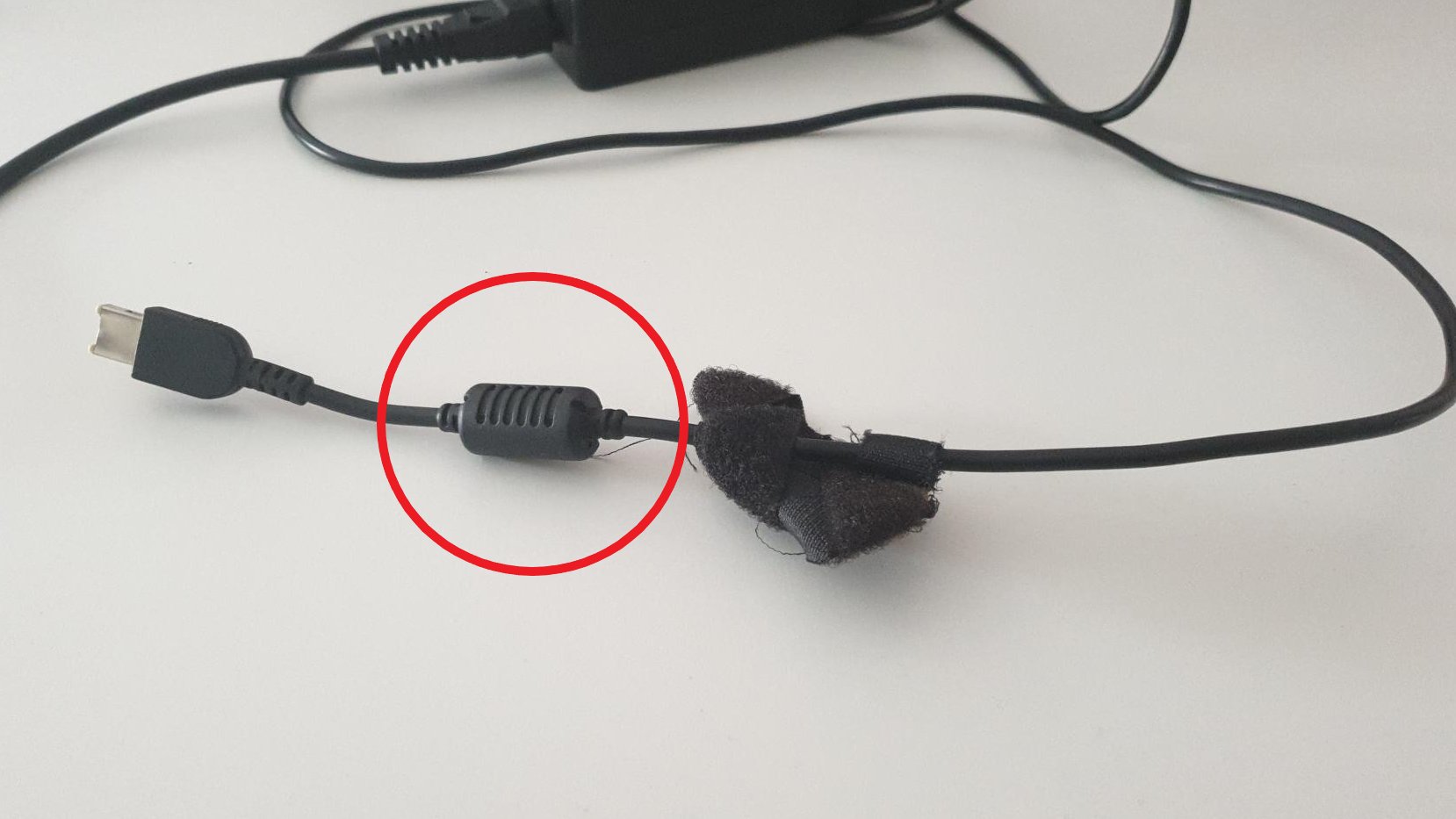
You plug it in, your laptop charges, and that’s usually the end of the story. Still, a lot of people eventually notice the same detail: a chunky cylinder sitting somewhere along the charging cable, often close to the laptop end. It looks a bit like an accidental “knot” in the wire – but it’s there on purpose.
That “Weird Cylinder” Is A Ferrite Core
The knob on many laptop charging cables is called a ferrite core (you’ll also see it referred to as a ferrite bead). Think of it as a small, passive filter designed to reduce unwanted electrical noise traveling along the cable.
In plain terms: the ferrite core helps keep your charger from adding interference to the area around it, and it can also help your laptop avoid picking up interference from other nearby electronics.
What Problem Is It Solving?
Modern electronics don’t just move power and data – they also produce tiny amounts of high-frequency “noise” as a byproduct of how they operate. Charging bricks, power regulation inside laptops, and the cable itself can all create or carry that noise.
When that noise leaks out as electromagnetic interference (often shortened to EMI), it can sometimes show up as annoying side effects in nearby devices. In everyday setups, that might look like:
- Reduced signal quality for certain wireless connections in a cluttered space,
- Audio gear picking up faint buzzing, chirps, or crackles,
- Older or poorly shielded displays showing occasional flicker or distortion.
Not everyone will ever notice these issues – but manufacturers build in protection anyway, because chargers are used in every imaginable environment, from quiet home offices to cable-packed gaming setups.
How A Ferrite Core Actually Works
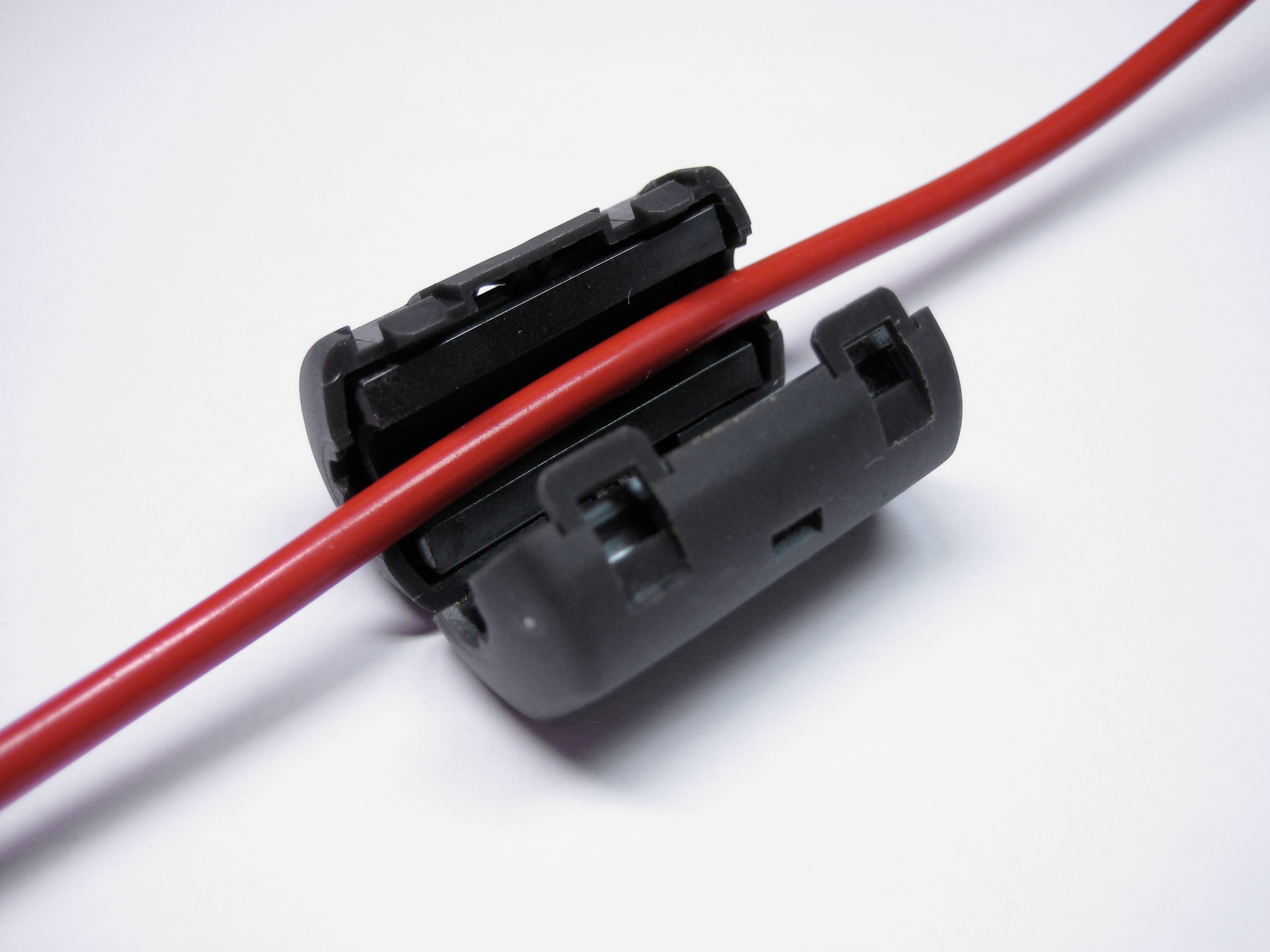
Inside that plastic housing is a piece of ferrite – a ceramic-like material that interacts with high-frequency signals. The charging cable passes through it, and the ferrite acts like a choke for unwanted noise: it resists fast, high-frequency fluctuations much more than the regular low-frequency power delivery your laptop needs.
The result is simple: the cable becomes less effective at carrying and radiating interference. Your laptop still receives the power it needs, but the “extra” electrical noise is reduced before it can spread.
You’ll often find the ferrite core positioned near the end that plugs into the laptop because that’s a practical place to reduce noise on the section of cable closest to the device and because it’s less likely to be moved around or strained there.
Does It Affect Charging Speed Or Performance?
No – not in the way people usually mean. A ferrite core isn’t a “power booster,” and it won’t make charging faster. Its job is about signal cleanliness and compliance: keeping interference down so the charger and laptop play nicely with everything else around them.
What If Your Charger Doesn’t Have One?
If your charging cable doesn’t have an external ferrite core, that doesn’t automatically mean something is wrong. Many newer chargers and devices handle filtering internally, and some cable designs simply don’t need a visible core to meet interference limits.
If everything works fine – stable Wi-Fi, no odd audio noise, no display quirks – you can safely treat it as a non-issue.
Can You Add A Ferrite Core Yourself?
In some cases, yes. Clip-on ferrite cores exist, and people sometimes use them as a practical troubleshooting step when a cable seems to be contributing to interference in a specific setup. That said, they’re not magic, and results depend on the exact source of the noise and how your devices are arranged.
If you’re not dealing with a real interference problem, you don’t need to “upgrade” your cable. The cylinder is a quiet helper – noticeable mostly because it looks strange, not because it demands your attention.